Knowing Bootstrap Is Not the Same as Knowing CSS
What Bootstrap 6 made me think about learning frameworks, understanding the platform, and choosing the right abstractions.

A Web Developer based in Belgium, specialized in PHP & JS development
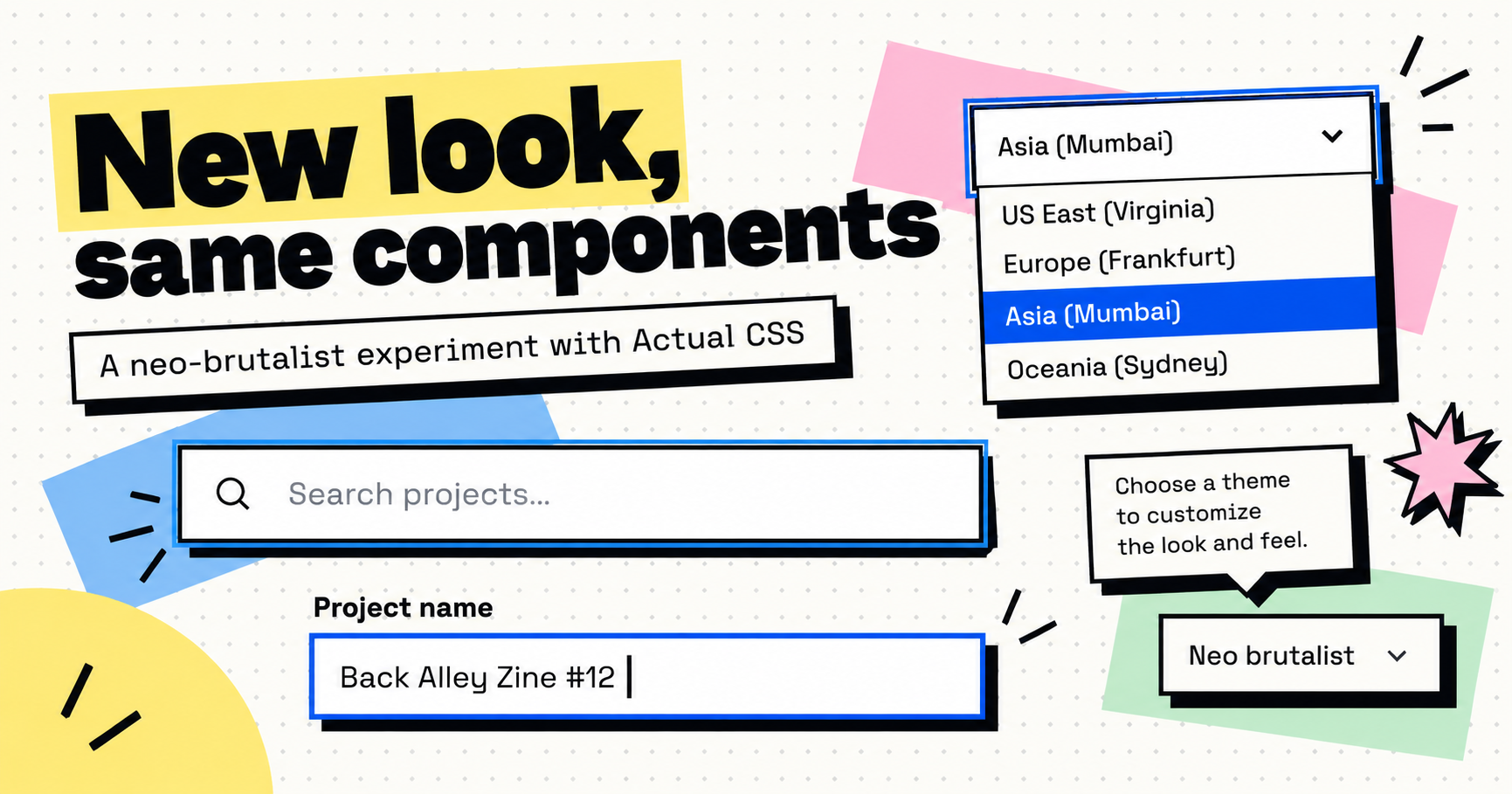
A few days ago, I was discussing Actual CSS with a colleague. Let's call her Aline. I've been working on this small CSS framework for a while now, and we were talking about whether it made sense to use it instead of something more established.
Aline raised a perfectly reasonable objection: why should we use a homegrown solution when something like Bootstrap already exists? And from a developer's perspective, wouldn't having Bootstrap 6 on your CV be more valuable than knowing some relatively unknown framework?
I understand the argument. In fact, I think it reflects how a lot of developers and companies approach technology choices. Established tools are easier to recognize, easier to recruit for, and generally perceived as safer. Knowing a popular framework is a marketable skill, while knowing an internal or niche alternative might not impress anyone reviewing your CV.
But the conversation made me realize that I fundamentally disagree with one of the assumptions behind that reasoning: that learning a CSS framework is a particularly valuable technical achievement in itself.
And the recent announcement of Bootstrap 6 gave me a good opportunity to explain why.
Part 1 — Learning a framework is the easy part
What does knowing Bootstrap actually mean?
When someone says they know Bootstrap, what are they really saying? That they know which classes to put on a button? That they can build a responsive grid? That they remember how to configure a modal, customize some variables, or apply spacing utilities?
Those are useful skills, of course, but they are mostly about learning the vocabulary and conventions of a particular library. Bootstrap has extensive documentation, sensible defaults and plenty of examples. That's largely what makes it successful: you don't need to become an expert before you can start producing something useful.
But there is an important difference between being productive with a framework and understanding the technology underneath it.
If I give a developer a CSS framework they have never used before, I expect them to become reasonably productive with it quite quickly. The conventions might differ, the class names might be unfamiliar, and the documentation might take some time to explore, but the fundamental problems being solved remain the same.
A button is still a button. A grid is still a grid. A responsive layout still responds to available space.
And in 2026, with LLMs increasingly integrated into our development workflows, the cost of learning those conventions has become even smaller. I no longer need to remember whether Bootstrap uses .d-md-none or .md:d-none (as it happens, Bootstrap 6 changes the former into the latter). I can ask an agent to implement a layout using the framework's documented conventions, and it will usually produce a reasonable starting point.
Interestingly, Bootstrap 6 explicitly embraces this direction. It now ships LLM-friendly documentation and dedicated skill files to help coding agents use and migrate the framework correctly.
I think that's a great initiative. But it also illustrates my point: the mechanical knowledge required to consume a framework is becoming progressively less valuable as a differentiating skill.
The framework's API still matters. Understanding how to use it effectively still matters. But memorizing its vocabulary is hardly where I would draw the line between a junior and an experienced web developer.
Bootstrap 6 itself demonstrates how temporary that vocabulary can be. Responsive utilities now use Tailwind-style prefixes, which means developers familiar with Bootstrap 5 must relearn parts of the API. That change may well improve consistency, but it also raises an interesting question: if your expertise becomes partially obsolete when a framework renames its classes, how much of that expertise was really about web development?
CSS is the skill that actually transfers
What I really want to know is whether a developer understands CSS.
Do they understand the cascade, specificity and inheritance? Can they reason about intrinsic sizing, flexbox, grid and overflow? Do they understand why a flex child sometimes refuses to shrink, why a focus outline gets clipped inside a scrolling container, or why a positioned element still appears underneath something else?
Can they explain the difference between styling a component and defining its layout? Do they know when a CSS custom property should inherit, when a container query makes more sense than a media query, or how to build an interface that remains usable with keyboard navigation and different viewport sizes?
These are the skills that become important once an interface stops behaving like the examples in the documentation.
A framework can help you avoid dealing with some of these problems in the common case, and that's genuinely useful. But it cannot make the underlying CSS model disappear. Eventually, a real application will have a requirement the framework didn't anticipate, and somebody will need to understand what is actually happening.
If the only thing you know is which framework class usually solves a particular problem, you're going to have a difficult time when that class doesn't quite do what you need.
And an LLM doesn't fundamentally change that. It can generate CSS, explain an unfamiliar API or suggest a fix, but someone still needs enough understanding to judge whether the resulting code makes sense. Otherwise, it's remarkably easy to accumulate overrides, extra wrappers and increasingly specific selectors until nobody understands why the interface works anymore.
In fact, I would argue that this distinction becomes even more important as AI-assisted development becomes commonplace. Generating an implementation is increasingly cheap. Recognizing whether that implementation is appropriate, maintainable and correct is where experience really matters.
To me, knowing how to consume a CSS framework is close to the entry level of web development. It's the ability to work with an existing abstraction. Understanding the platform underneath it is what allows you to evaluate, extend, debug or replace that abstraction.
That distinction matters far more than the particular framework listed on a CV.
A framework should not replace your understanding of the platform
There's another consequence of relying too heavily on framework conventions: they can gradually become the language through which developers understand the browser.
Instead of thinking about layout in terms of flexbox, grid, intrinsic sizing or container queries, we start thinking about which combination of utility classes will produce the desired result. Instead of understanding how the cascade resolves competing declarations, we learn which framework modifier happens to win.
Utilities are not inherently bad, and they can be very convenient. But I find it important that the abstraction remains transparent enough for developers to reason about the resulting CSS.
This has influenced the design of Actual CSS. Its public class grammar is deliberately small: a component, an optional intent, a visual variant, a size and a modifier. Something like class="btn primary outline sm" expresses a recognizable component and a few design decisions without requiring a long list of low-level declarations in the markup.
Bootstrap's increasingly extensive utility API takes a different approach, and I understand why many developers prefer it. It provides a vocabulary for composing interfaces directly in HTML, often without writing application-specific CSS.
Personally, I increasingly prefer to let HTML express structure and meaning, CSS express presentation, and JavaScript handle behavior. That separation isn't absolute, but it's a useful default. I want a framework to give me a coherent visual language, not necessarily a class for every possible CSS declaration.
The important point isn't that one syntax is inherently superior. It's that developers should understand what these abstractions are doing and be able to work without them when necessary.
Aline still has a point
None of this means Aline was wrong to question the decision to use a smaller framework.
There are excellent reasons to choose an established solution. Bootstrap has years of real-world usage, an enormous community, substantial documentation and a long history of solving common interface problems. Familiarity across a team has genuine value. So do maintenance expectations, accessibility work, testing and the reassurance that comes with a mature ecosystem.
A homegrown framework isn't automatically better because its author understands CSS. It can introduce maintenance risks, undocumented assumptions and a dependency on a small number of people. Those costs deserve to be taken seriously, especially in a professional environment.
I also spent years using Bootstrap, and it was my reference for building web interfaces for a long time. I've learned a great deal from it, and I still think it can be an excellent choice for many projects.
But I would rather defend that choice by explaining what Bootstrap brings to the project than by arguing that developers should learn Bootstrap because the name looks good on a CV.
Those are two very different discussions.
And having spent the last few years working more directly with modern CSS, I've started questioning some of the architectural decisions that large frameworks continue to make.
Bootstrap 6 is a particularly interesting example because it modernizes so much of its foundation while retaining certain approaches that I increasingly prefer to avoid.
Part 2 — What Bootstrap 6 gets right, and where I would go differently
The modern CSS direction is excellent
Before discussing my reservations, I want to acknowledge how much I like the direction Bootstrap 6 is taking.
The new release embraces modern browser capabilities rather than continuing to carry compatibility layers for browsers that are now many years old. It uses CSS layers, container queries, :where(), oklch(), color-mix() and light-dark(). It builds accordions on native <details> and <summary> elements and dialogs on <dialog>.
These are meaningful improvements, not just cosmetic changes. They simplify implementations, reduce the need for JavaScript, and make more of the framework's behavior depend on standards implemented directly by browsers.
This is very much aligned with what I've been advocating in Your Browser Already Has a Component Library. Modern browsers already provide a remarkably capable platform, and frameworks should take advantage of it rather than recreating everything themselves.
Bootstrap 6 also moves much of its visual configuration into CSS custom properties, allowing themes to change at runtime rather than only during compilation. Again, I think that's exactly the right direction.
In several respects, Bootstrap 6 is converging toward the approach I've been exploring with Actual CSS: native HTML, modern CSS features, design tokens and less JavaScript for interactions the browser can already handle.
It's encouraging to see those ideas adopted by such a widely used project. But it also makes the remaining differences more interesting, because they are increasingly about architecture rather than browser compatibility.
Sass: a solution I no longer need
I've already written about this in You Might Not Need Sass Anymore, back in 2024. At the time, I was experimenting with removing Sass from my projects, and I realized that most of the reasons I had originally adopted it were no longer particularly compelling.
I mostly wanted nesting, variables and a convenient way to organize multiple CSS files. Native CSS and modern build tools could already handle those needs, either directly or through straightforward compilation.
Since then, my opinion has only become stronger.
Bootstrap 6 still uses Sass, although it has significantly modernized its implementation. It replaces the old import system with @use and @forward, introduces token maps and moves visual customization toward CSS variables. The result is clearly an improvement over the previous architecture, and I understand why Bootstrap's maintainers chose that direction.
But when I look at it, I can't help asking whether all that machinery is still necessary.
My own experience with Sass hasn't been particularly pleasant in recent years. Syntax changes, deprecated features and migration requirements repeatedly forced me to revisit code that was otherwise perfectly functional. I found myself spending time maintaining my styling toolchain rather than improving the styles themselves.
And the more I used Sass features such as mixins, functions and generated variants, the more I felt that they encouraged a particular kind of complexity.
It's tempting to see repetition in CSS as something that must be eliminated through abstraction. A mixin can centralize a collection of declarations, generate variations and make the source code appear more concise. But it also creates a dependency between rules that might otherwise have remained independent.
Change the mixin, and you potentially change every place where it was included. Add parameters to accommodate different consumers, and what started as a convenient helper gradually becomes a small configuration language.
Sometimes that's exactly what you need. But quite often, I find that a well-designed CSS custom property expresses the actual relationship more clearly.
If several components share a color, spacing scale or focus treatment, I generally want them to reference a shared design token. I don't necessarily want them to be generated through the same Sass function.
The difference is important. A token describes a shared design decision. A mixin describes a shared implementation. Those two things can overlap, but they are not interchangeable.
CSS variables also remain meaningful in the browser. They can inherit, respond to media queries, participate in calculations, be scoped to a component or change dynamically at runtime. Sass variables and mixins are evaluated before the browser ever sees the stylesheet.
Of course, Sass still has legitimate advantages. Generating large utility families, derived scales or repetitive variations can be more convenient with a programming language. And for a project of Bootstrap's size, retaining a programmatic build system is an understandable decision.
But that convenience comes with another language, another layer of configuration, and another set of conventions that contributors must understand.
What I increasingly appreciate about plain CSS is that the source code is much closer to what the browser actually executes. There is less translation between the author's intention and the resulting stylesheet, fewer opportunities for build-time abstractions to obscure relationships, and less tooling to maintain.
With Actual CSS, I have tried to keep that distinction clear: design tokens provide consistency, CSS provides composition and styling, and JavaScript is reserved for behavior that actually requires it.
It's not that Sass is bad. It's that I no longer find its benefits compelling enough to justify making it a foundational dependency.
How much CSS do we actually need?
Looking at the compiled output of Bootstrap 6 raises another interesting question.
The first alpha's complete CSS distribution is around 381 KB minified, compared with roughly 144 KB for the complete Actual CSS stylesheet at the time of writing. Actual CSS's minimal core is around 12.5 KB minified, or 2.8 KB with Brotli compression. Even its full CSS bundle compresses to approximately 20 KB with Brotli.
These figures are not a perfect performance benchmark. The two frameworks don't provide exactly the same features, and minified file sizes shouldn't be confused with transferred bytes after compression. Bootstrap can also be customized and imported selectively, so using its default distribution isn't the only option.
Still, I find the difference revealing.
Bootstrap 6's stylesheet has grown substantially compared with Bootstrap 5, despite adopting modern browser APIs that can sometimes replace more complicated implementations. That growth reflects the framework's expanding scope: more components, more utilities, more configuration possibilities and more combinations to support.
There is nothing inherently wrong with that. A large framework provides a lot of functionality, and the right comparison is ultimately whether the included functionality is useful to the application.
But I think it's worth challenging the assumption that a framework should continually accumulate features.
In Actual CSS, the minimal core contains the foundations: tokens, base styles, theme rules, shared variants and focus treatment. Components, layout primitives, form controls and enhancements are separate modules that applications can import individually.
The distinction between the core and the full bundle is intentional. A simple application shouldn't need to import a complete component library to benefit from consistent typography, colors and controls. An application that only needs buttons, cards and a few form components can include those parts without bringing along everything else.
The same applies to JavaScript. An application using a tooltip doesn't necessarily need a dialog manager, a datepicker or a combobox. Behavioral enhancements should be independently importable, and they should remain optional whenever the underlying HTML can function without them.
Bootstrap 6 makes significant progress in this area too, particularly with ESM-only JavaScript and tree-shakeable imports. Its dependency on Floating UI and Vanilla Calendar Pro can also be handled separately from the full bundle.
The difference, then, isn't that Bootstrap forces you to load every component. It doesn't. It's that I want modularity and a very small foundational surface to be the starting point, rather than something consumers need to optimize toward.
A small default encourages a useful discipline: every additional component should justify its place in the application.
A combobox is not just another styled control
The other direction that caught my attention in Bootstrap 6 is the expansion of its component library.
Bootstrap now includes a combobox and a datepicker, among other new controls. These are useful additions, and I can understand the appeal of having them work out of the box with Bootstrap's visual system.
But they also raise a question I've been thinking about while developing my own components: where should a CSS framework stop?
A button, an alert or a card is primarily a styling concern. A combobox is something quite different.
Building a good combobox means handling keyboard navigation, accessibility semantics, focus management, selection state, filtering, positioning, form integration and numerous edge cases. Depending on the application, you might also need asynchronous suggestions, remote datasets, multi-selection, custom rendering, tagging, option creation or programmatic updates.
These aren't merely additional styling options. They are substantial behavioral requirements.
Bootstrap 6's combobox already supports quite a few things: local search, multiple selection, rich menu content and keyboard navigation. It's not a trivial implementation, and I don't want to suggest otherwise.
But its documented architecture is built around a toggle button, a menu of predefined items and a generated hidden input for form submission. Multiple selected values are serialized into a comma-separated string.
That's a perfectly reasonable model for certain use cases. But it isn't the same as enhancing an existing native <select>, and it doesn't address every requirement that emerges in more advanced forms.
What happens when the options come from a remote API? When the list contains thousands of results? When the user needs to create new values? Or when the application already relies on native select semantics, multiple form values and server-rendered selections?
At that point, you may discover that the component you adopted because it was conveniently included in your framework is no longer the right component for the application.
You then have to extend it beyond its original design or replace it with something more specialized.
And replacing a complex form control is rarely as simple as changing its CSS class. Its initialization, markup, state management, form integration and event handling may all be connected to the surrounding application.
This is one of the reasons I built my combobox as an independent library rather than integrating its implementation directly into Actual CSS.
I wanted to approach it as a complete interaction problem, with the freedom to support remote suggestions, multiple selections, tags, custom values and different integration models without worrying about whether those features belonged in a general-purpose CSS framework.
I also wanted the native form control to remain the source of truth. If the component enhances a <select>, that select still owns the submitted value and participates in normal form behavior. The JavaScript adds capabilities around it rather than introducing an entirely separate form model.
That is an architectural choice, not simply a feature comparison, and it's one that becomes more valuable as application requirements evolve.
The datepicker illustrates another trade-off
Bootstrap's new datepicker takes a somewhat different approach. Rather than implementing the entire calendar itself, it wraps Vanilla Calendar Pro and exposes a Bootstrap-compatible API and appearance.
I actually think that's a sensible way to avoid reinventing complicated calendar behavior.
The wrapper already supports useful features such as date ranges, multiple dates, minimum and maximum dates, multiple months and localization. It also exposes an escape hatch for more advanced Vanilla Calendar Pro configuration.
But even here, the integration introduces boundaries. Bootstrap exposes a particular subset of the underlying library, and its documentation explains that not all optional Vanilla Calendar Pro extensions are included.
So now there are effectively two APIs to understand: Bootstrap's convenient abstraction and the capabilities of the underlying calendar library.
Again, this may be perfectly adequate for most applications. But if you need an advanced feature that isn't available through the wrapper, or if you want to use the same calendar outside a Bootstrap application, the integration becomes less attractive.
For me, that suggests a different separation of responsibilities.
A CSS framework should provide coherent form styling, appropriate design tokens and conventions that allow more specialized controls to blend into the interface. The datepicker itself can be a dedicated library, free to evolve according to the requirements of date selection rather than the release cycle of the styling framework.
A datepicker shouldn't have to be a Bootstrap datepicker any more than a combobox should have to be an Actual CSS combobox.
It should simply be a good datepicker.
Smaller boundaries, not necessarily smaller components
I think this is an important distinction, because I'm not arguing that every component should be reduced to the smallest possible implementation.
Quite the opposite.
For a genuinely complex control, I would often prefer a comprehensive, well-maintained library over a lightweight implementation that only covers the most common scenarios. There is little value in saving some initial complexity if it means replacing the entire component as soon as the application grows beyond the happy path.
What I want to keep small is the coupling between different concerns.
A CSS framework doesn't need to own every interaction. A combobox library doesn't need to define the visual identity of the entire application. And an application shouldn't have to change its design system because it needs a more advanced datepicker.
These pieces should be able to work together without becoming inseparable.
This is the direction I've been exploring with Actual CSS. It provides styling conventions and progressively enhanced components where appropriate, but specialized controls can live in separate packages. They can expose their own behavioral APIs while consuming the same CSS tokens and adapting to the same visual language.
It also means you can disagree with one component without disagreeing with the entire framework.
If you don't like how a particular stepper, tooltip or navigation component works, you should be able to replace that implementation while retaining the rest of the styling system. A framework should provide a useful common vocabulary, not require applications to accept every architectural decision it makes.
There's a practical advantage here, too. Smaller boundaries make it easier to evaluate dependencies independently. You can choose the best tool for a particular interaction, update it on its own schedule, and reuse it elsewhere without carrying an entire styling ecosystem along with it.
The objective isn't to avoid dependencies at all costs. It's to make sure each dependency owns the right problem.
Don't like a component? Keep the convention, replace the implementation
One aspect of Actual CSS that I find particularly valuable is the idea that a component's public convention can exist independently of its default implementation.
Consider the steps component, which is used to represent progress through a multi-step process. Its complete stylesheet is relatively substantial by Actual CSS standards, with roughly 400 lines of CSS. It supports different orientations, labels, connectors, completion states, responsive behavior through container queries, focus treatment and several layout edge cases.
That's quite a lot for what might initially look like a simple row of numbered steps.
But those features exist for a reason. A generic component needs to handle situations that a particular application may never encounter. In some contexts, responsive transitions or vertical layouts are genuinely useful. In others, you might only need three steps displayed horizontally, with a simple indication of the current step.
The important point is that an application doesn't have to accept the complete implementation.
Actual CSS exposes a recognizable HTML convention through classes such as .steps, .steps-horizontal, .step-label and .step-complete, while the current step is identified semantically with aria-current="step".
If an application needs a simpler presentation, it can simply omit the steps stylesheet and provide its own rules for those same classes and states. The markup remains familiar, accessibility information remains in the HTML, and shared theme tokens can still provide consistent colors, spacing and focus treatment.
There is no need to fork the framework, fight against its specificity or recreate an entirely different component API just to remove some visual features.
This is an important part of how I think a CSS framework should be designed. Its components are useful reference implementations, but the public conventions should remain valuable even when a particular implementation is replaced.
In other words, a framework doesn't need to have the perfect implementation of every component. It needs to make it easy for consumers to adapt or replace those implementations without losing the benefits of the overall system.
That kind of flexibility is difficult to measure by counting the number of components in a library, but it can make a significant difference over the lifetime of an application.
The framework should own the visual language, not every implementation
This brings me back to what I consider the most useful responsibility of a CSS framework: providing a consistent visual and structural foundation.
A good framework gives you design tokens, sensible base styles, coherent component conventions, accessible defaults and reusable patterns. It should make common things easy without making uncommon things unnecessarily difficult.
For example, Actual CSS uses shared intent classes such as .primary, .success, .warning and .danger, along with variants such as .solid, .soft and .outline. These conventions work across several components because they express common design decisions rather than implementation-specific details.
The same principle applies to focus indicators and interaction states. A consistent focus treatment shouldn't need to be reinvented for every button, select, tab or tooltip. But that doesn't mean every component has to share the same internal DOM structure or JavaScript implementation.
I've found this particularly useful when integrating specialized libraries or building application-specific interfaces. As long as the component can consume the design tokens and follow a few shared conventions, it can feel like part of the same system without being implemented by the framework itself.
This approach also encourages a cleaner distinction between appearance and behavior. In Actual CSS, classes describe presentation, while optional JavaScript enhancements use separate attributes and modules. A component can often be styled without being enhanced, and an enhancement can be reused without accepting every styling decision made by the framework.
To me, that separation is more valuable than having every possible component available from a single package. It allows the design system to remain consistent while individual pieces of the interface evolve independently.
And it offers a useful answer to one of the recurring objections against smaller frameworks: what happens when the built-in component isn't good enough?
Ideally, nothing dramatic. You keep the conventions that work, replace the implementation that doesn't, and move on.
Bootstrap 6 is evolving in the right direction
I don't want this article to sound like a verdict against Bootstrap 6, especially considering that it's still an alpha release.
In many ways, I think the project is moving in exactly the right direction. Its embrace of modern CSS, native HTML elements, runtime tokens and improved tooling is encouraging. It demonstrates how much the web platform has evolved and how even a framework as established as Bootstrap can rethink long-standing implementation choices.
But I also think it reveals the compromises involved in maintaining a very large, general-purpose framework.
Bootstrap needs to accommodate a huge range of users, workflows and expectations. It has reasons to maintain programmatic Sass customization, to provide an extensive collection of components, and to make common use cases accessible through a consistent API.
Those are legitimate priorities.
My own priorities are simply different.
I would rather have a smaller CSS foundation, use the browser's native capabilities wherever possible, and keep sophisticated interaction components independent. I don't mind writing some application-specific CSS, and I don't see much value in abstracting every repeated declaration into a configurable helper.
I also want the freedom to choose how much of the framework an application actually consumes, and to replace individual components without having to abandon the conventions that make the rest of the system useful.
That approach won't suit everyone. But after years of working with Bootstrap and other frameworks, it increasingly feels like a better fit for the applications I build.
And perhaps the most interesting thing about Bootstrap 6 is that many of its changes support the same underlying idea: modern browsers are capable enough that frameworks can focus more on conventions and less on recreating platform features.
The remaining question is how much a framework should try to own.
Back to Aline's question
So, should we use a homegrown framework instead of Bootstrap 6?
I don't think the answer should depend on whether developers can put the framework's name on their CV. It should depend on whether the architecture, capabilities, maintenance model and trade-offs make sense for the project.
Bootstrap brings real value through its maturity, ecosystem and consistency. A smaller framework can bring different advantages through simpler conventions, fewer dependencies and more freedom to compose specialized tools. Neither approach is automatically superior.
But I do think we should reconsider what it means to know a framework.
If a developer understands CSS deeply, learning Bootstrap 6, Actual CSS or another library is largely a matter of becoming familiar with conventions. If they only know how to reproduce patterns from one framework's documentation, changing libraries may expose much larger gaps in their understanding.
And that's why I care much more about the former than the latter.
Perhaps the most valuable skill isn't knowing how to use a particular CSS framework.
It's knowing enough CSS to decide whether you need that framework in the first place.
Related reading: Your Browser Already Has a Component Library, You Might Not Need Sass Anymore, and the Actual CSS repository.